Now that I have the textured NPC model, along with animations for it, the only thing I have left is to make it come to live. I did a lot of research on the NPC development. There are many ways to make this character intractable and useful. Most of the articles I read pointed out that a non-playable character has to be responsive to the players actions, while also being able to act independently from them. This robot plays a key role in the game. He has to be the power that stops the player from achieving his task. I have to adjust the robot’s behaviour, so that he provides a challenge, while not making it too difficult for the player. I would try to not the make player frustrated and not make him bored either.
I have to make a script that switches between three different states of the character. First, I have to make the robot move between multiple preset locations. I am also going make him stop for a short time at those locations and trigger the idle animation. Also, while he moves or stays idle, he is going to be looking for the player. If he spots him, he is either going to switch to shooting, or chasing the player. This is something we haven’t been able to make a decision on yet.
I started to make the patrolling script. I have noticed that a common approach is to use NavMesh for the purpose of most NPC movement. While this is really intuitive and easy to implement future, I think it could be considered as a complicated solution for a simple problem. The NavMesh system is powerful for variable terrains and finding paths trough obstacles. Most of the terrain of our game is a single plain and there aren’t many obstacles where the robot is going to be patrolling. One of the things I have learnt from the last game is to not overengineer simple solutions. That’s why, after watching countless YouTube videos on the topic, I have came up with a relatively easy script.
I started by placing the robot in the scene and creating three empty game objects which are going to be the waypoints. I then created a new script and attached it to the character. I created a public variable for the speed of the character’s movement, so I could tweak it in the inspector. Then, I added an array of transforms, which is again public. This way I cloud add new waypoints and remove them without having to edit the script. I also made a reference to the NPC’s animator, as I’ll have to switch between different animations.
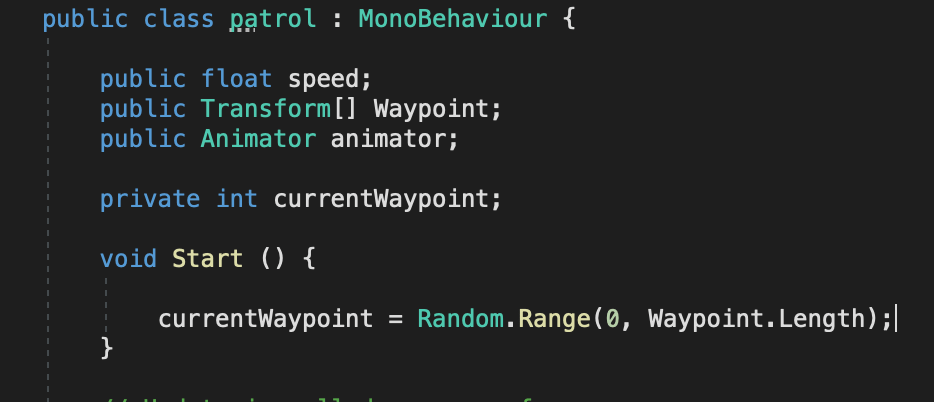
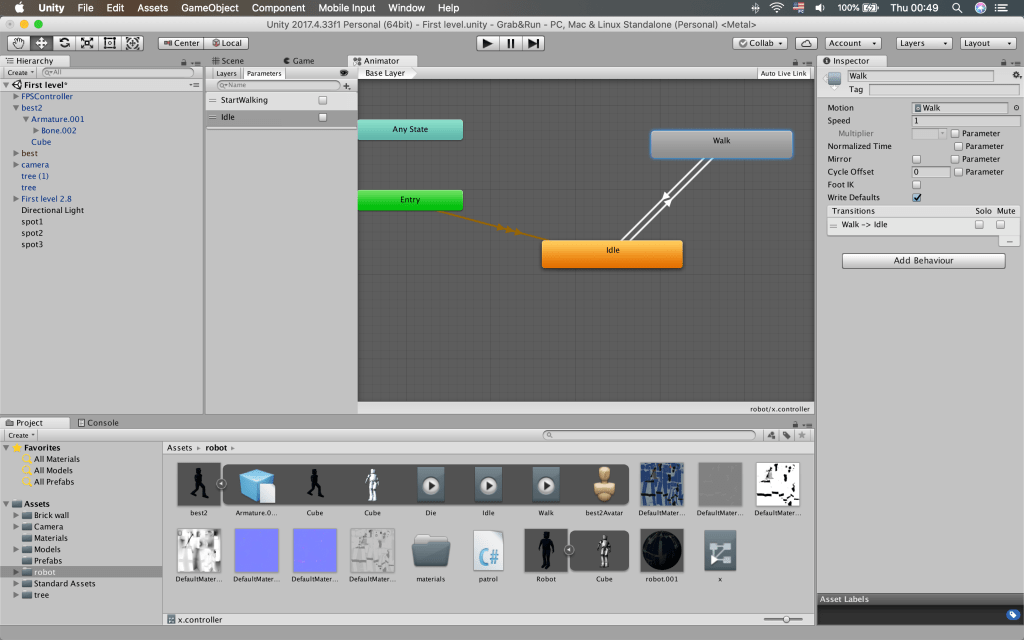
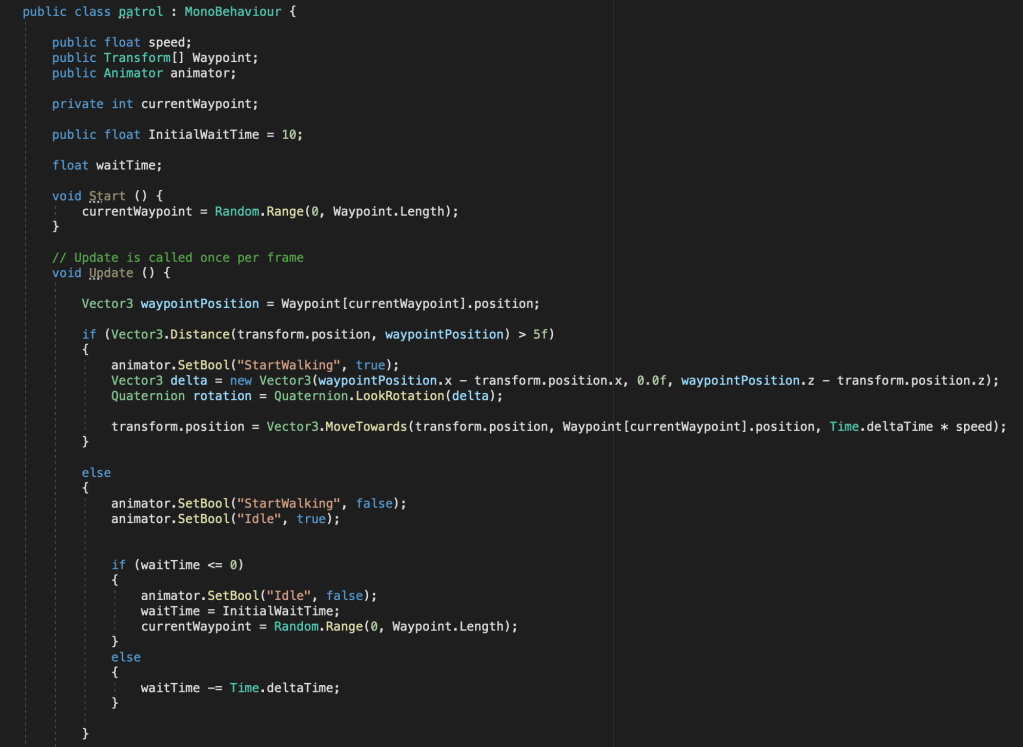
I also added an integer to keep the number of the current waypoint from the array. I used the random class to select a random waypoint from the array. I chose to do a random number each time, as opposed to going through them one by one, because this way the NPC’s actions are going to be more unpredictable and it is going to be harder to avoid. In the update function I created a new vector3 variable, which is going to hold the position of the current waypoint. After that I check if the robot’s position is further than 5 units from the waypoints position. If the statement is true, the walking animation had to start. I set a new bool in the animator to do just that. While I was there I also did the other transitions and added another bool for the idle animation.
After starting the walking animation, I had to make the character face the destination. To do that I used a new vector3 variable to determine which direction to rotate the character towards and by how much. Then I used Quaternion to actually rotate the character. In order to move it, I used the MoveTowards function with the position of the waypoint as a target and multiplied the speed, which I declared earlier, with time.deltaTime, so the movement is frame rate independent.
If the character position was close to that of the waypoint, I wanted it to wait there for a bit and trigger the idle animation. I went back before the start of the functions and declared two more variables. One to hold the time to wait and one to hold how much time is left. Then I went back to the else statement and set the walking animation bool to false and the one of the idle animation to true. I made more statements to check if the waiting time has passed or not, and if it has, I selected another random waypoint as the current one. If not, it subtracted time.deltaTime from the time remaining.
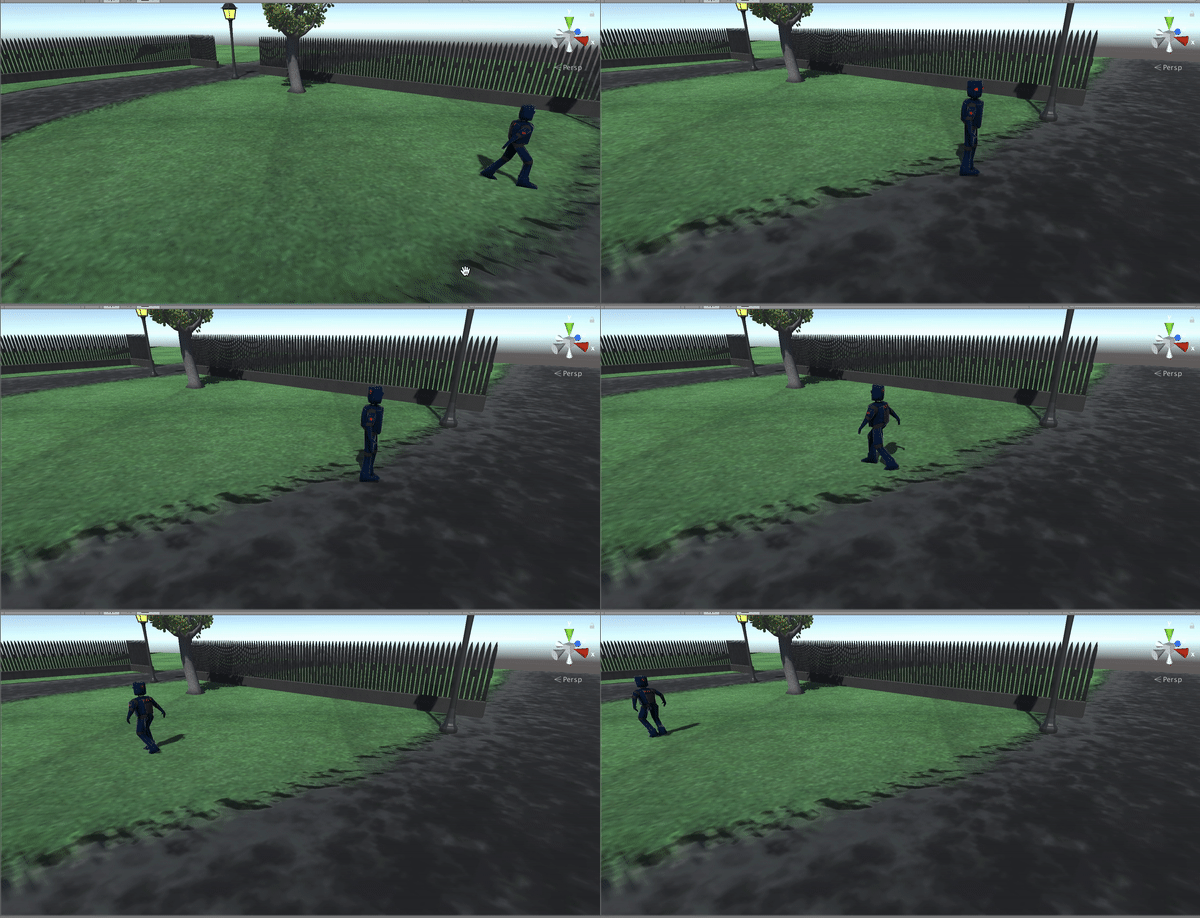
One thing I have noticed while testing this code is that sometimes the character starts for a long time in one waypoint. This is because there are only three of them and the chance of selecting the same one again I big. I could have fixed that by adding another array and removing the selected waypoints from the original one, but I prefer it like this, as it adds more uncertainty to the character’s movement.
Youtube Videos:
 Game 2.0