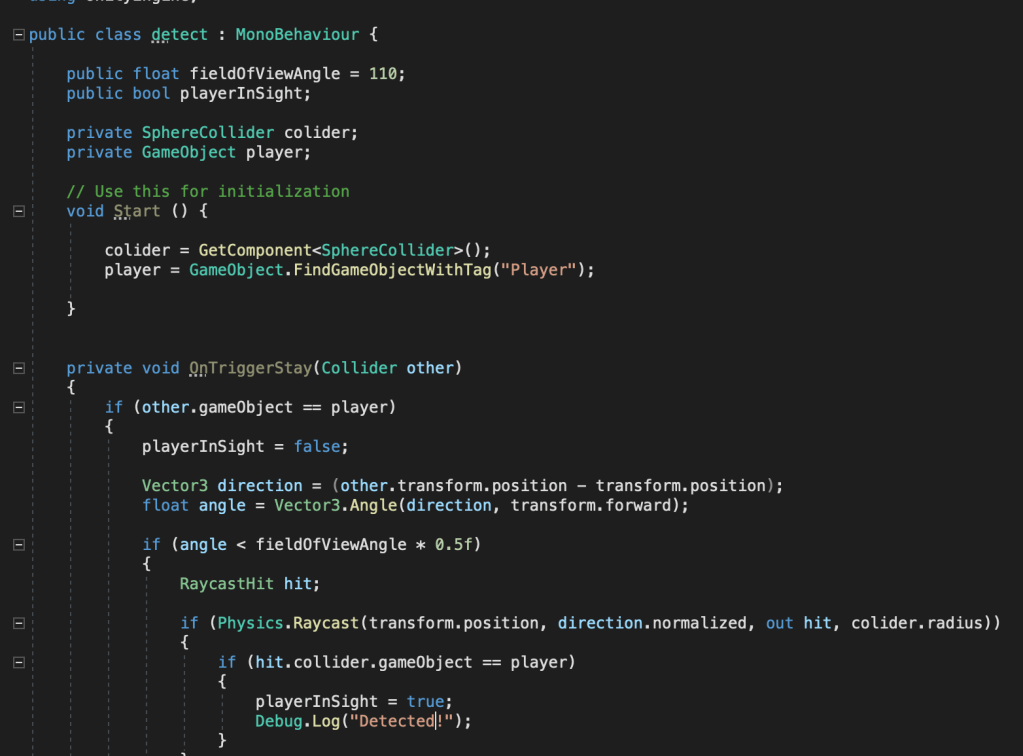
After I was done with making the npc patrol, i had to add the other state of the robot. This had to be either the chase or the shooting state. For those states to be activated, the NPC has to notice the player. In order to trigger an action when the player has been detected, I first have to make a script to detect the player. I started by creating a variable for the angle of view of the character. This variable is public, so I can tweak it in the editor while testing. Then I created a public bool to check if the player has been detected. I could also access this bool from other scripts later on, in order to trigger actions related to the player being noticed. In order to make this bool true, three criteria have to be met. The player has to be in the radius of the npc, he has to be in the field of view of the npc, and no obstacles have to be between the npc and the player. I am going to determine the radius, in which the player can be detected by adding a sphere collider to the npc. I can tweak the radius of the sphere while testing. After creating the field of view variable, I created a reference to the collider and to the player.
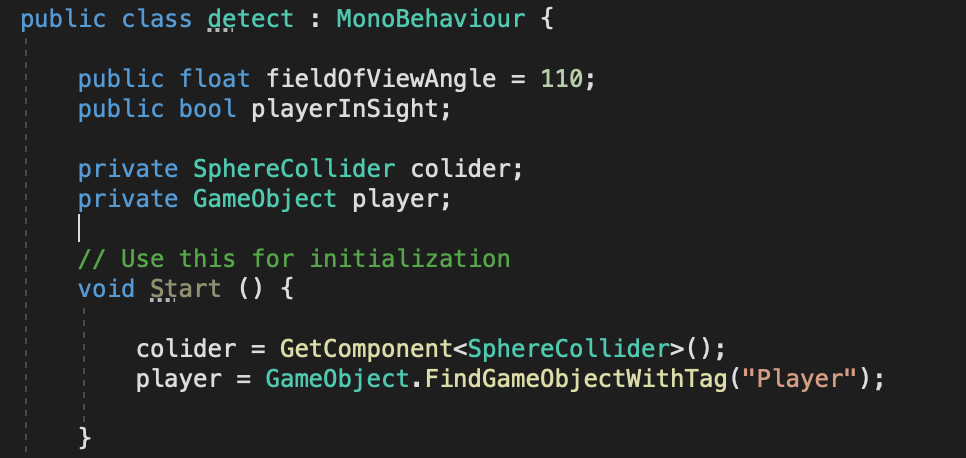
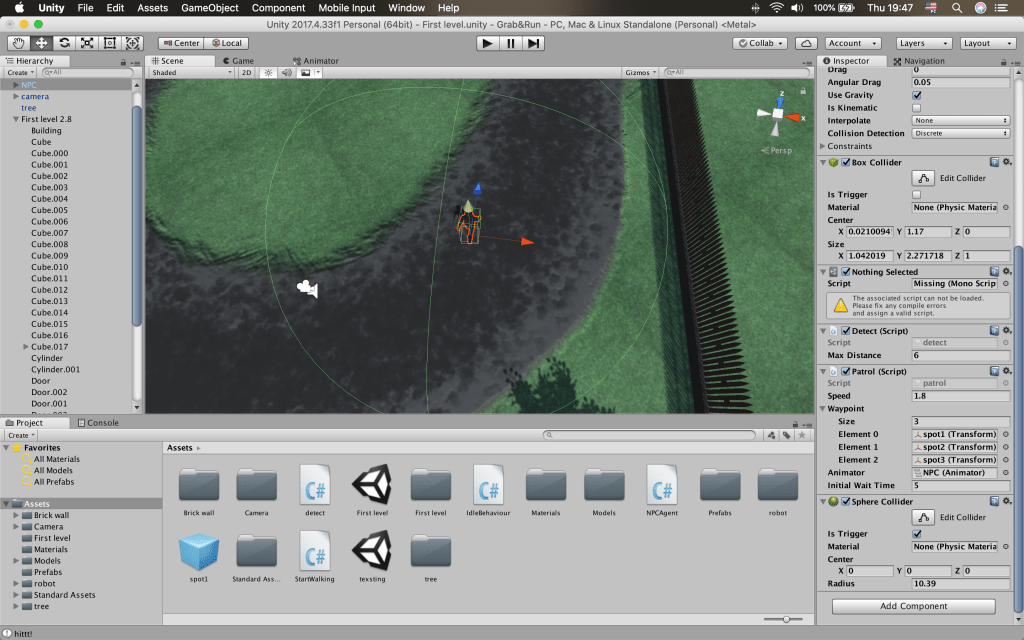
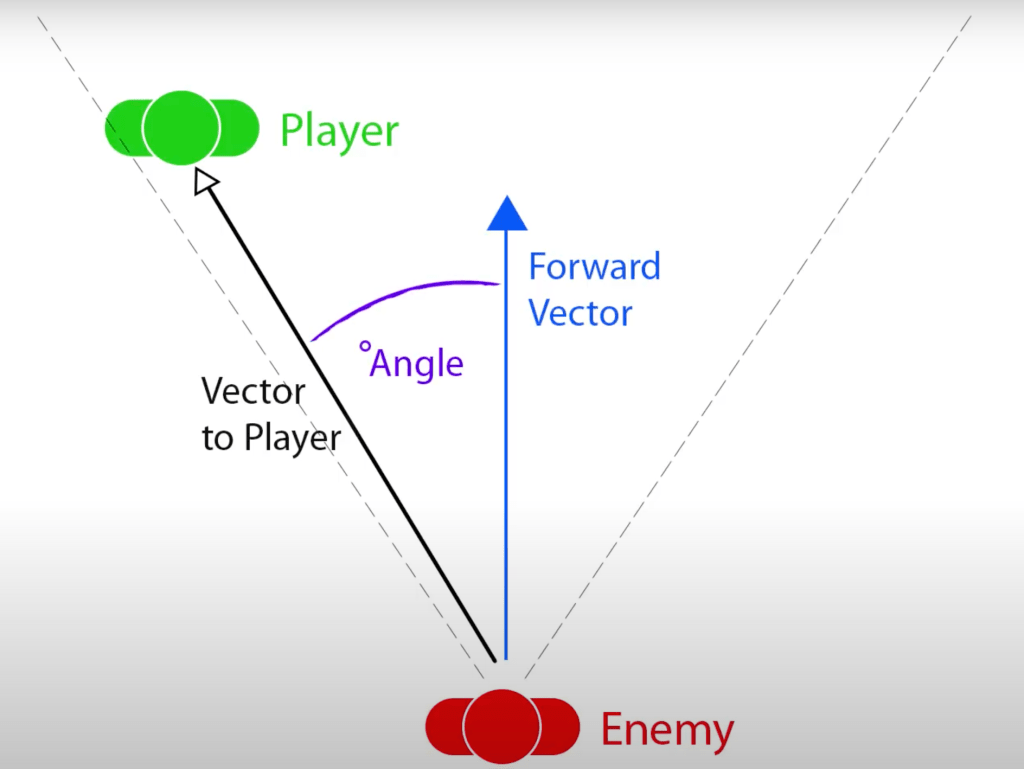
After that, I moved on to the first condition that has to be met. In order to check if the player has entered the sphere around the robot, I used the onTriggerStay function to check if an object has entered the sphere. Then, I created an if statement to check if this object is the player. If this statement is true, this means the player is in the detectable radius of the robot. This however, still doesn’t mean the player has been detected. This is why I set the playerInSight bool to false. After this is checked, I need to check if the player is in the field of view of the robot. To do that, I created a vector3 variable, called direction, to store the direction of the player relative to the robot. I then created another float variable to store the angle between the direction of the player and the forward position of the robot. If this angle is less than half of the determined field of view angle of the npc, then the player is in this field of view.
This means that the second condition is met, but the player may still not be visible by the robot. An object may be in the way. To check if this is the case, I used Raycast. I created a new RaycastHit to store the information from the hit and created an if statement to check if it actually has hit something. The Raycast origin is going to be the npc’s position, the direction is going to be the direction of the player, and the length is going to be the radius of the sphere collider. Then I check if the hit is actually the player. If it is, all the criteria for spotting the player have been met and I set the playerInSight bool to true. I also added a message for the debug console to do some testing.
After many tests, I have found that the Raycast origins is actually in the robot’s feat and all of the hits are in the ground. I changed the origin from transform.position to transform.position + transform.up. This way the Raycast origin is going to be higher up the body of the robot. Another thing I forgot to add was a collider to the player, which is actually the main camera with a fps controller attached to it. After those adjustments, the script was working as it should and the player was getting detected by the robot if the right conditions are met.
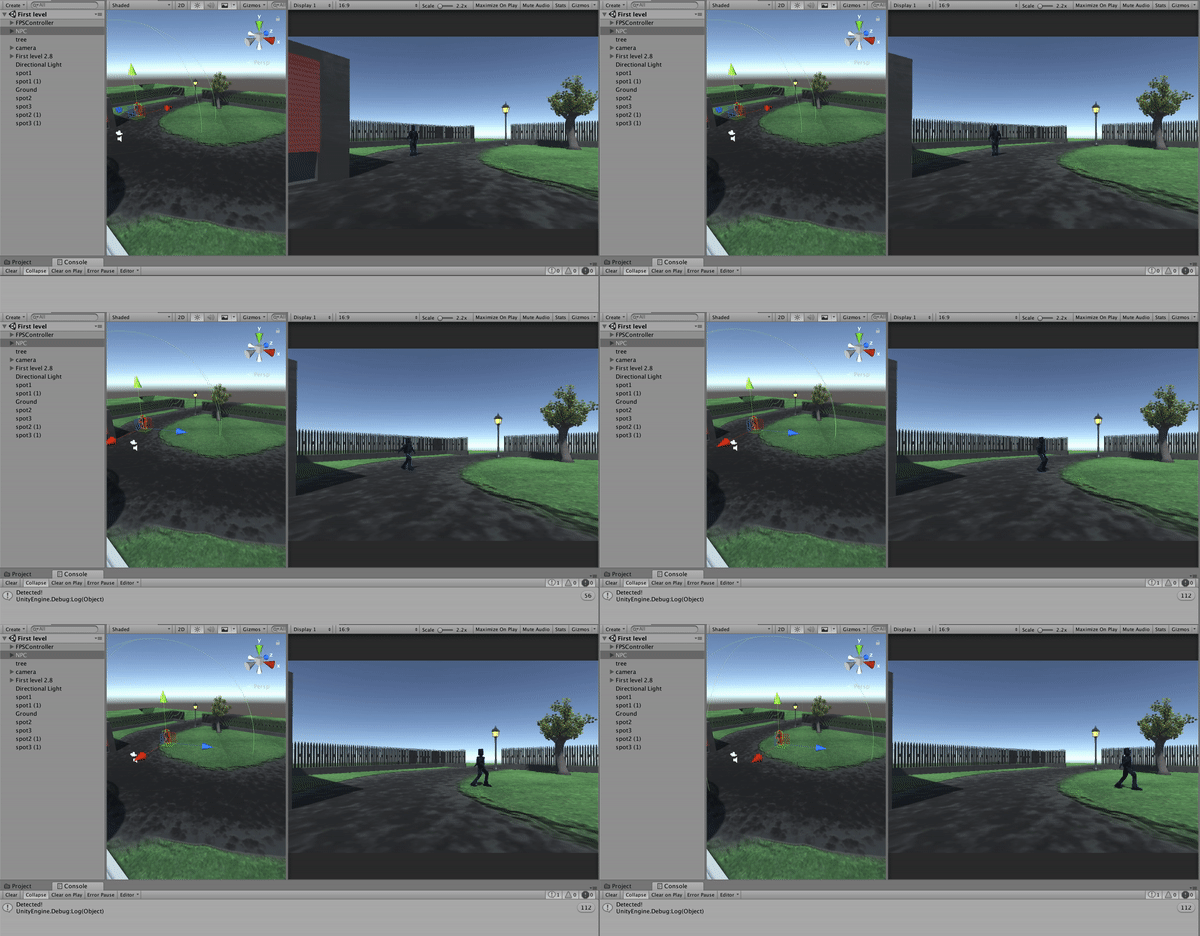
I was done with adding the ability to detect the player to the robot. But the question of what the robot has to do after that remained. My initial idea was to trigger a chase or a shooting animation. Since we don’t have shooting mechanics yet and there are no fight animations, I am simply going to write a script to restart the level after the player has been spotted. Later I could implement the playerInSight bool as a trigger in other behaviour if necessary.
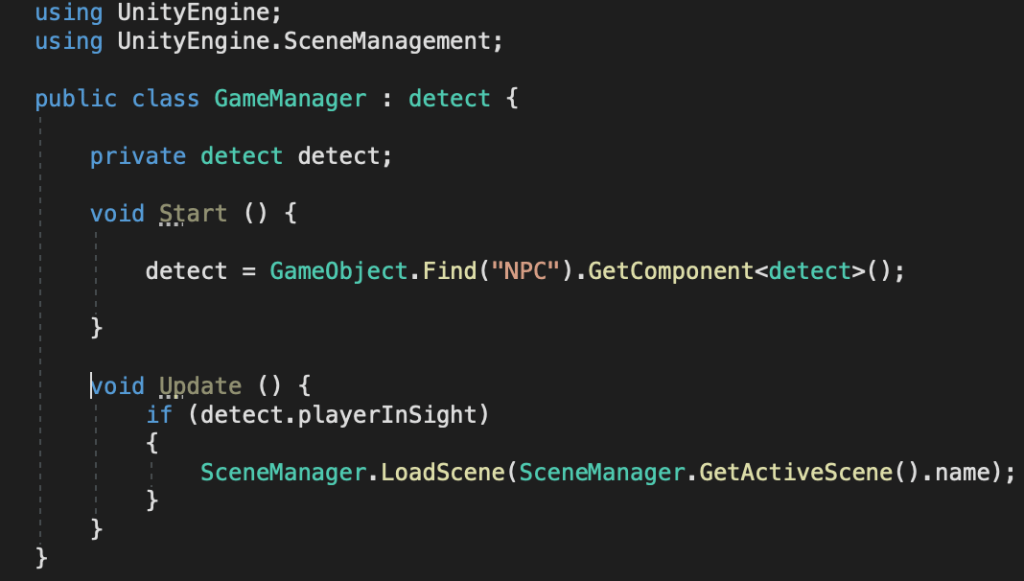
To restart the level, I created a new script, in which I used the UnityEngine.SceneManagement namespace. Then, I created a new instance of the detect class and used the npc game object to get the script component. In the update function, I checked if the playerInSight bool is true and if it is, I used the scene manager to load the current scene.
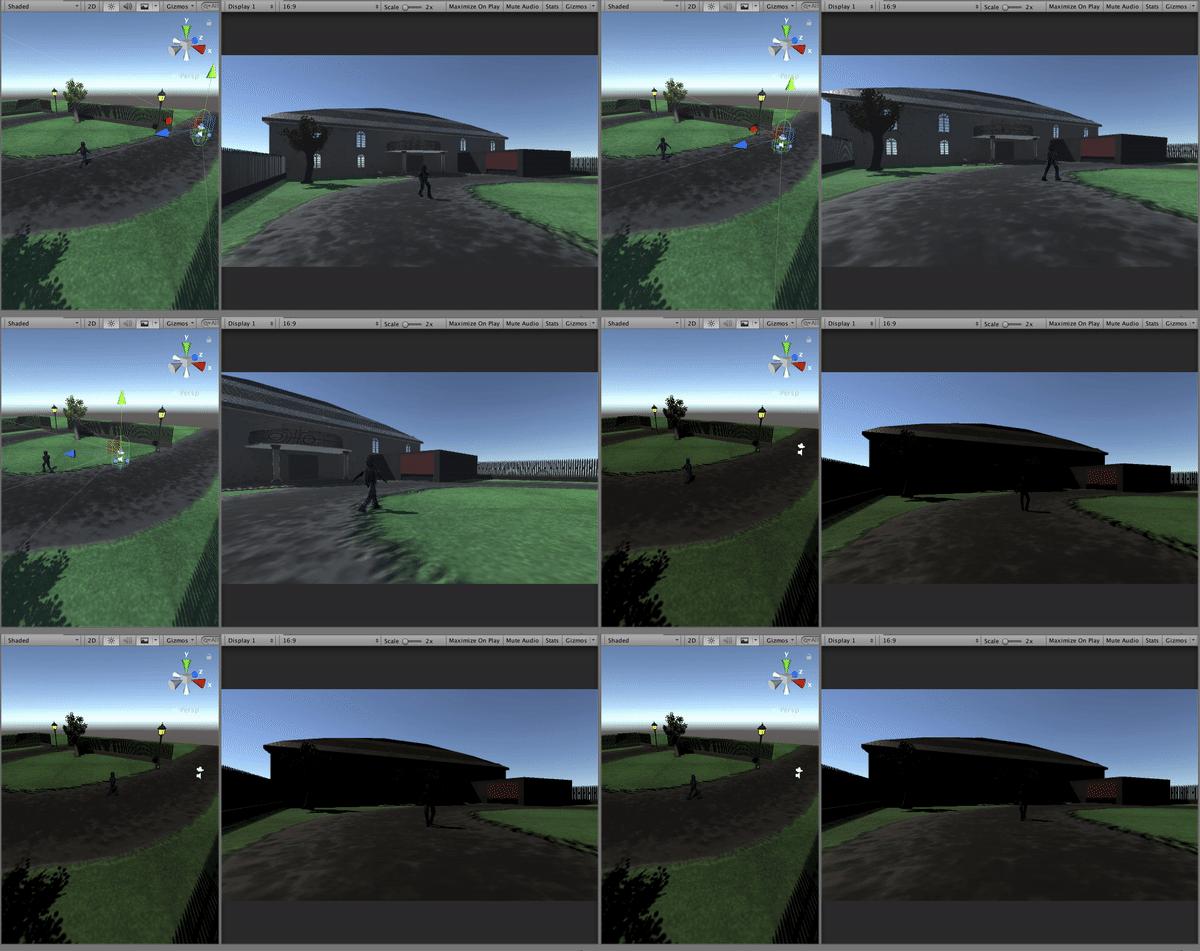
Youtube videos:
 Game 2.0